This is a sponsored conversation written by me on behalf of Cricut. The opinions and text are all mine. Comments submitted may be displayed on other websites owned by the sponsoring brand.
The Cricut Maker is the newest machine from the Cricut family and it’s pretty exciting because it’s the first of their machines to use a rotary cutter!
This post contains some affiliate links for your convenience (which means if you make a purchase after clicking a link I will earn a small commission but it won’t cost you a penny more)!

In case you didn’t know, a Cricut machine is what is termed die-cut machine. Die-cut machines can cut the same shape (or lots of different shapes) over and over again in a variety of materials. They are really handy for adding quick and easy embellishments to clothes, making your own bunting, cards, labels, jewellery, table decor… a creative and practical tool that is perfect from a creative and practical perspective.

I’m a big fan of the machines and first reviewed a Cricut Mini, followed by the Cricut Explore ( pumpkin t-shirt, halloween table decorations, halloween cake stand, frosted jam jar lumineries, anchor t-shirt, love heart tin). So being given the opportunity to test out Cricut Maker was very exciting!
Differences Between the Cricut Maker & Cricut Explore
At first glance the Cricut Maker and Explore look very similar but open the lid and the difference start to unfold….
- The lid opens with a smooth hydraulic action that automatically drops the front door down.
- There is no dial for setting the material being cut. It’s all set up within ‘Design Space’
- There is no slot for cartridges, all shape forms are used within via Design Space. This means that at the moment you cannot use any cartridges you own although I do believe there are plans to make a cartridge adapter.
- The storage compartment has more compartments
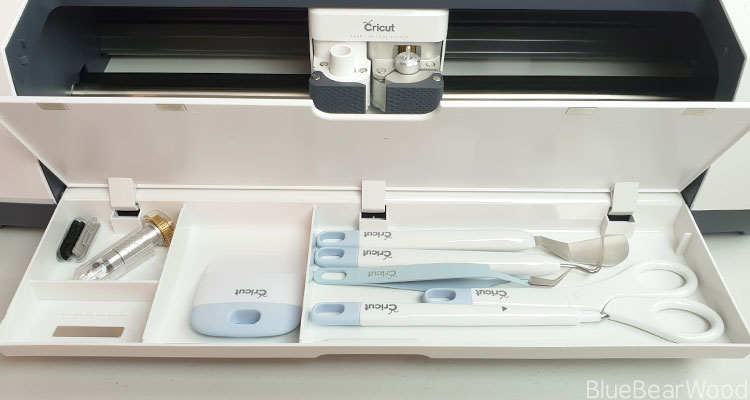
- It comes with a usb charging port for your mobile device
- IT HAS A ROTARY CUTTER
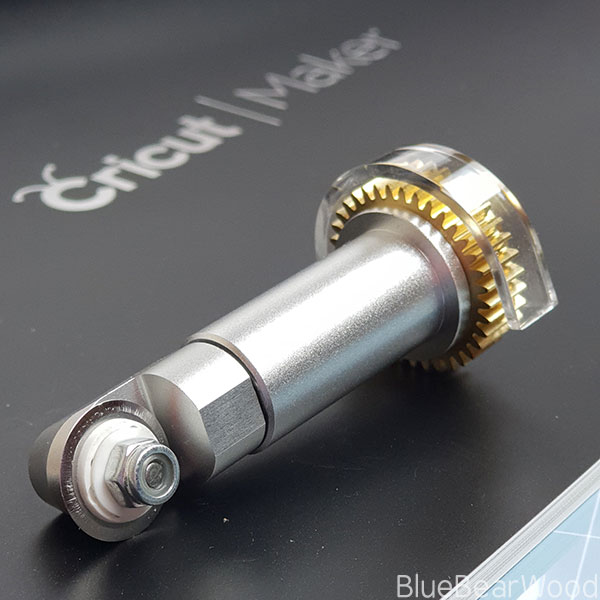
- You can buy a scoring wheel tool
- There is a new Knife Blade that cuts dense materials up to 3/32” thick
- It can cut a better selection of materials
What’s Comes In The Cricut Maker Box
Cricut machines are very easy to take out of the box and set up. You literally take out the machine, plug it in, connect it to your computer or tablet, download the software and you’re ready to go.
The Cricut Maker comes with
- Cricut Maker Machine
- Fine-point blade
- Rotary blade
- Black fine point pen
- Fabric grip mat
- Light grip mat
- Welcome book
- First project materials
- USB Cable
- Power Cable
I would recommend getting a Cricut tool accessory pack and was really impressed with the Cricut Essential Tool Set that I was also sent. It comes with all the basic tools you’ll need plus a great sized portable paper trimmer.
Using The Cricut Maker & Design Space
Design space is also very easy to use as long as you have a good internet connection. This is where you plan your design and it’s here you can search through images, find pre-loaded projects and even upload your own designs.
The Design Space grid has the same markings as your mat so you can gauge and change the size of your design to suit. It takes a little bit of getting used to but has a similar layout to most software apps and there are loads of really helpful tutorials in the Cricut website and of course YouTube.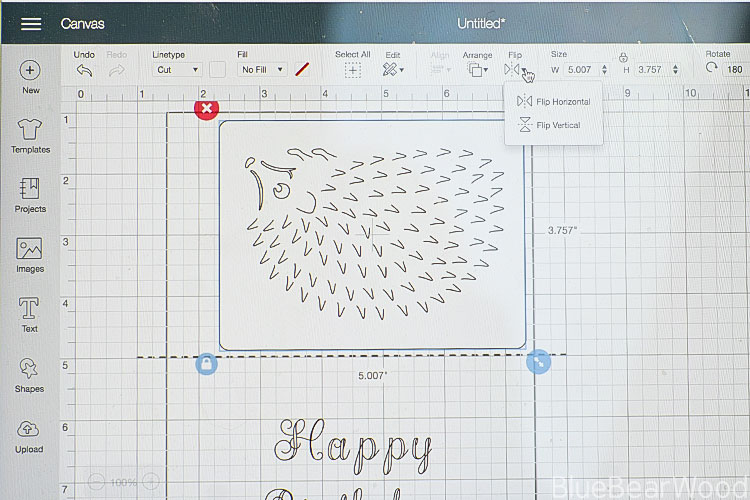 One thing to be aware of if you’re from the UK is that you need to use US spelling when searching for images!
When you’re ready to cut out your design you select ‘Make It’ and it’s here that you choose the materials and pressure you need for your cut. I really like that the whole process is done within Design Space. It means that there are no accidental cuts on the wrong setting because I forgot to change the dial! Not all images and fonts are free in Design Space but there is plenty of choices to be able to make and create lots of things without the need to buy any plus you can upload your own designs. And if you do like the look of something you need to buy you can add it to your design area to see it works before you have to purchase it… you’re prompted to pay when you go to ‘Make It’.
Finally, because the Cricut Maker can house a Scoring Wheel it will default to using that when you go to ‘Make it’ and tell you to put the scoring wheel in the housing. If you don’t have one don’t panic as there is a setting to change it to a scoring tool.
The Fine Blade
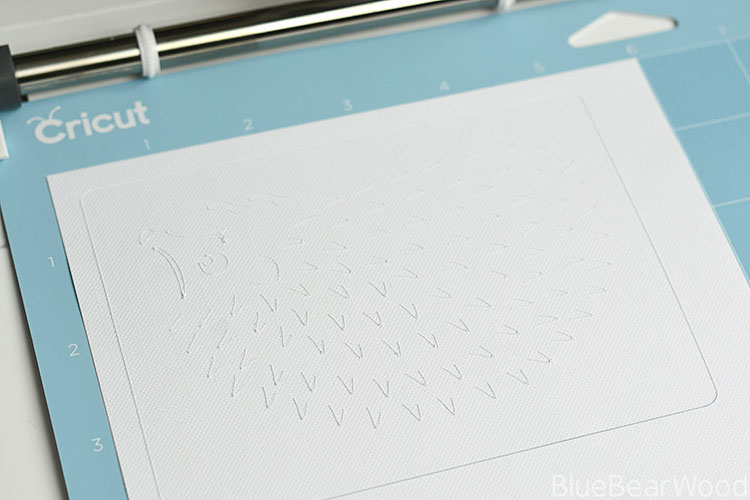
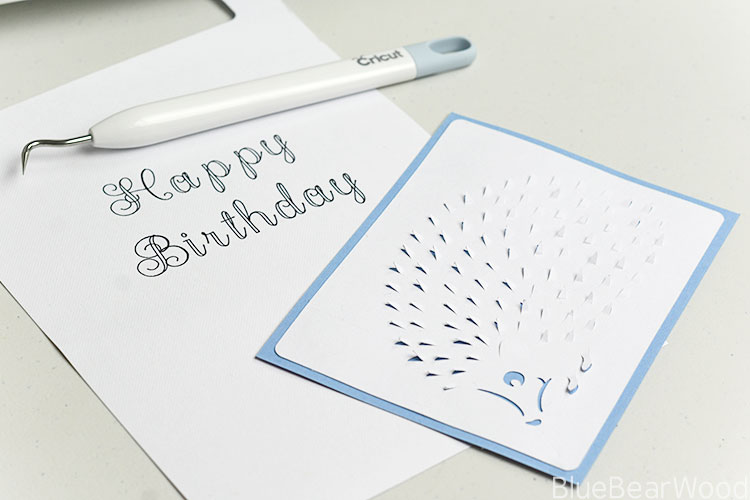
This blade is designed for cutting all kinds of intricate cuts and is used for cutting with paper, cardstock, posterboard, vinyl, iron-on, and other thin to medium weight materials. I made a beautiful Hedgehog Card (blog post to come shortly).
The Rotary Cutter
The Cricut maker comes with a swatch of fabric to play with, so I chose to see how well the Cricut Maker could cut out some letters. I had to change the blades over which was super easy as was putting the fabric on to the special fabric cutting mat.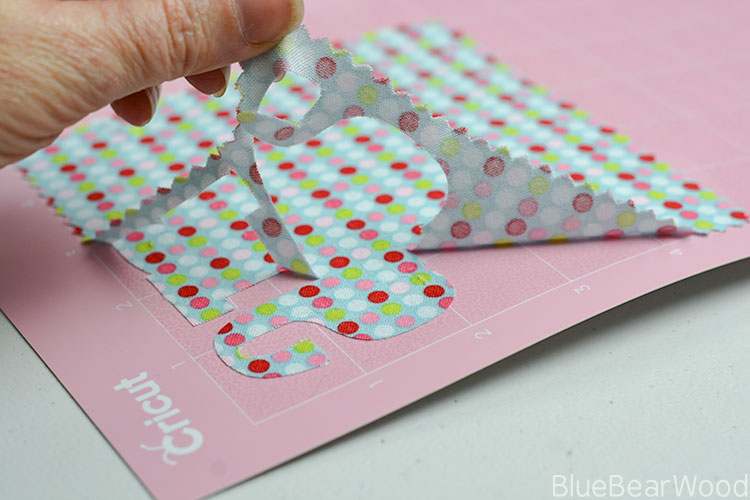 The result was really cool. There was a little fraying around the edges but that was to be expected given the weave of the material and it was easy to get everything off the mat afterwards. I pulled the excess fabric off first and then the shapes. The letter ‘a’ ripped a little right at the base where the curve joins the straight upward stroke but this was because I pulled it off wrongly and started at a narrow weak area of the letter (at the bottom) rather than pulling down from the top.
 I then cut out a couple of shapes and moved on to some felt. This was craft felt (so no natural fibres in it). and it was beautiful to cut with gorgeous sharp edges and very little residue left on the mat… I’m so excited about the possibilities!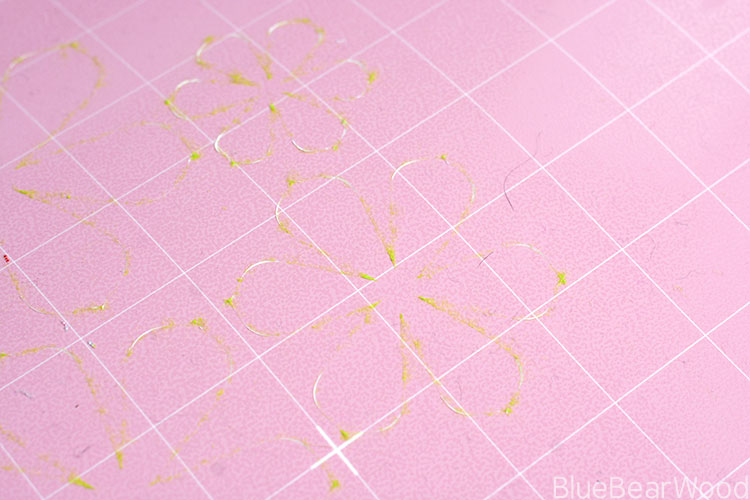
DO NOT SCRAPE THE MAT WITH THE SCRAPING TOOL.
Unlike the other Cricut mats, the fabric matt is not designed to be scraped clean, as it can ruin the tacky surface.
Using A Pen With The Cricut Maker
One of the best things about a Cricut machine is its ability to draw the most beautiful lettering, even on textured paper. The Cricut pens come with marker arrows that ensure you’ve placed it in the holder correctly and it’s very easy to do and looks exquisite! Again, the fonts available are a mix of free and pay for but the great thing is that you can also use your own system fonts! I’m already a Cricut convert since having my first machine. As a family, we use it lots for helping cut out shapes for my girls’ school work, for adding personalisation and embellishment to clothing and I love it for making party invites and quick cards (it really is super quick).
The extra flexibility the Cricut Maker has with the rotary cutter and its ‘Knife Blade’, that can cut thicker dense materials up to 3/32” thick, makes it a game changer. If you use lots of fabric in your crafts then it’s definitely worth having a look at the Cricut Maker… I imagine it being an invaluable tool for Quilters.
Keep an eye out for my other Cricut Maker posts. I’ll be reviewing a Heat Press 2, Cricut accessories and blogging a few Cricut Crafts you can make!
Really comprehensive post. Look forward too seeing your makes x